Quickstart
Updated
Publish your first shared lane and send it to your partners. You’ll keep managing work in your own tools.
1. Create a workspace
Sign up and pick a workspace name. It becomes your app URL, so keep it short and recognizable — for example alignlane.app/teamw2s.
Then name both sides of the relationship — for example teamW2S (host) and Acme (partner). Product roles stay neutral — host, partner and shared — whatever the commercial relationship.
2. Bring in the work
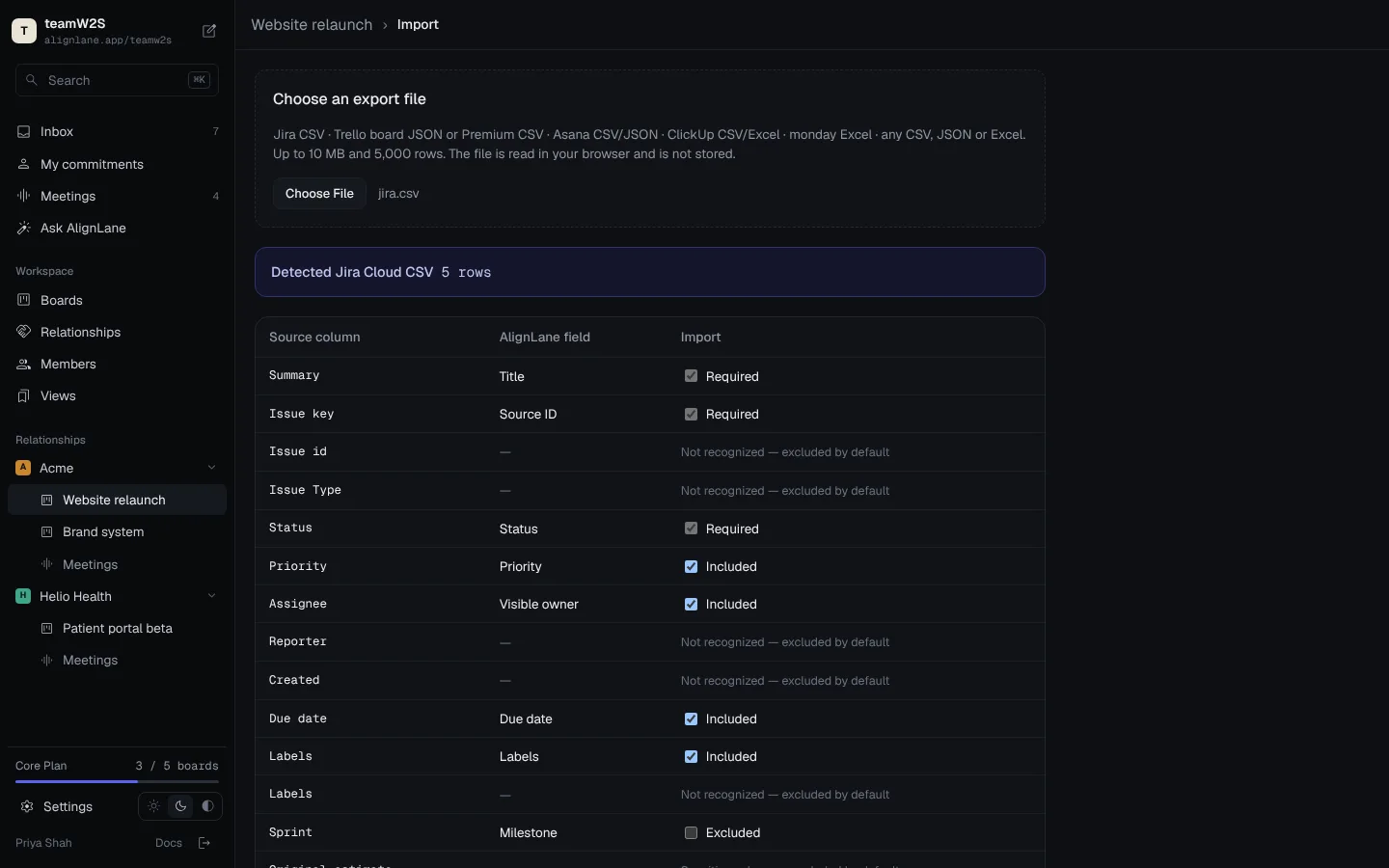
Upload an export from Jira, Trello, Asana, ClickUp or monday — or any CSV, JSON or Excel file. AlignLane detects the format and shows a mapping preview.
| Source column | AlignLane field | Shared? |
|---|---|---|
| Summary | Title | Yes |
| Status | Status | Yes |
| Assignee | Visible assignee | Yes |
| Due date | Due date | Yes |
| Original estimate | — | Excluded |
Unknown or sensitive columns are excluded by default. You choose what crosses the boundary.
3. Publish a share link
New boards start private. To publish, open Share → Publish publicly. A published board is read-only on a stable, tokenless URL (/b/{workspace}/{board}), and Allow this public board to appear in search engines is ticked by default — untick it at publish time or later. Anonymous visitors see the read-only Kanban board with the banner “You’re viewing the public version of this board. Sign in to continue.” Workspace members who sign in land on the full workspace dashboard; signed-in non-members stay on the public board.
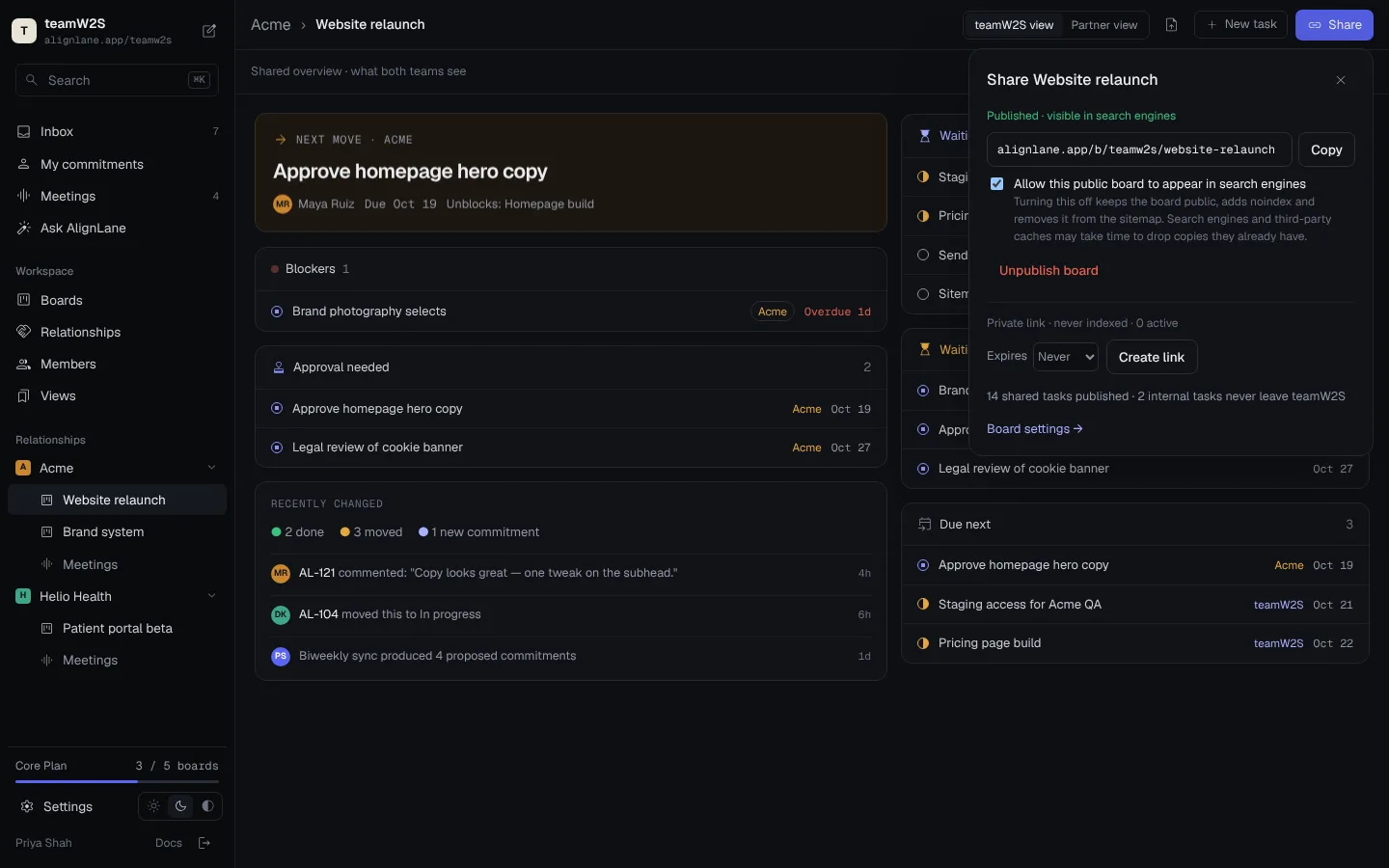
For unlisted sharing, create a private link instead: alignlane.app/s/teamw2s-and-acme/7Gp9vQm3K2zYx4Rc. Private links are never indexed and can be rotated or revoked.
4. Invite the other side
Send the link anywhere. Partners who sign in get comments and presence avatars; read-only viewers are unlimited; signed-in contributors count toward plan limits.
Next: Share links & visibility → · Meeting transcripts →
Next: Core concepts →